Redesigning Workbench without losing the power users
Workbench was built for expert bioinformaticians, and it showed. As it opened up to researchers with less command-line experience, the question became how much to abstract without alienating the experts. My answer was to layer it.
One interface, two very different users
Workbench was built for expert bioinformaticians who live in the command line. As it opened up to researchers with less technical experience, the run workflow screen became the bottleneck.
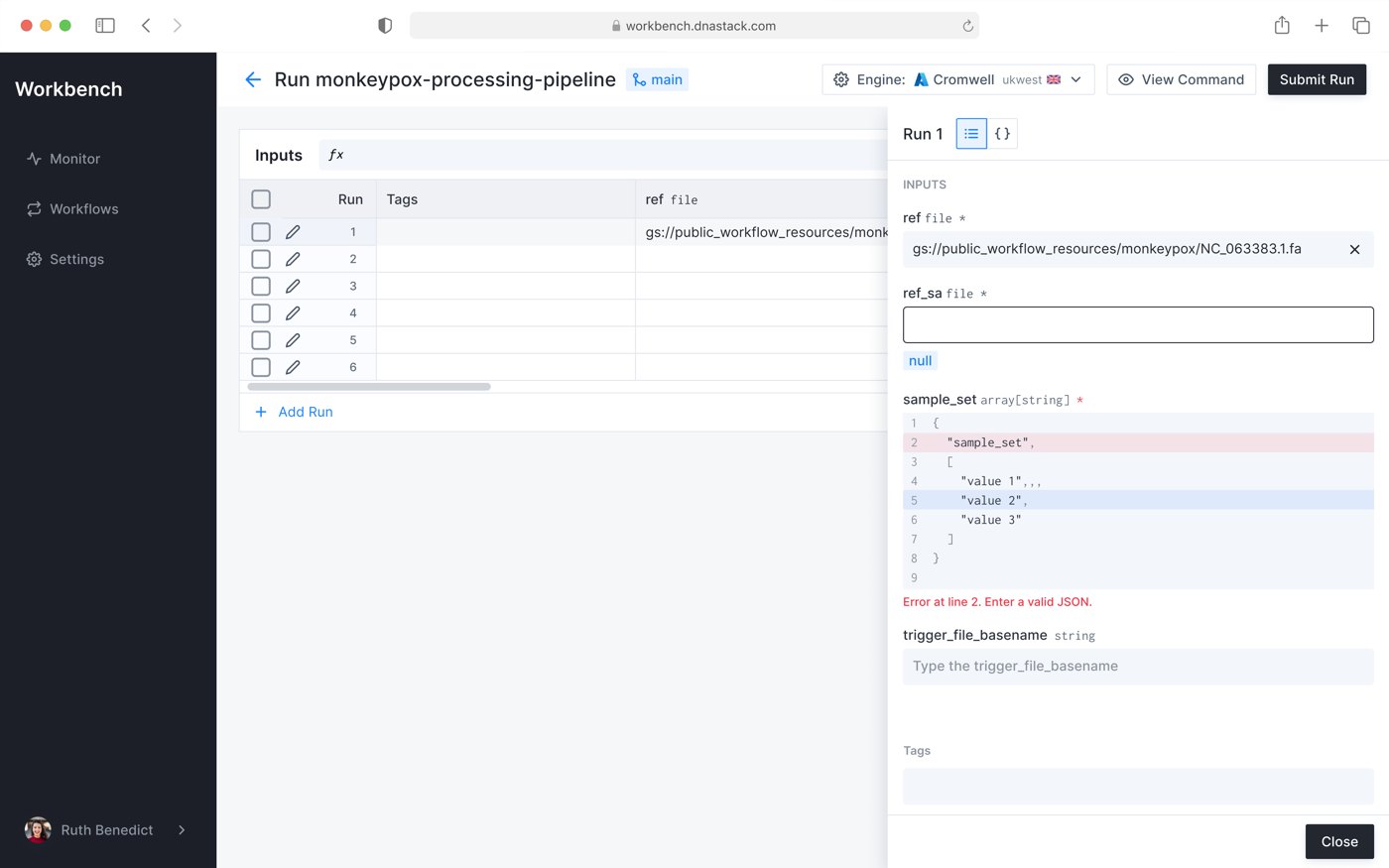
What researchers told me
Filling out inputs is really confusing. There's no guidance or autocomplete to help me out.

Editing multiple runs in the table is frustrating. There's no easy way to manage bulk inputs.

I didn't realize the pencil icon on a run opened a form view.

There can be 100s of fields. It is hard to find if a value I typed was incorrect.

I ran preference tests to find where the two groups diverged and where one solution could serve both. That shaped the core call: don't simplify the interface, layer it. A guided path for people who need structure, full control for people who need it, and an easy way to move between them.
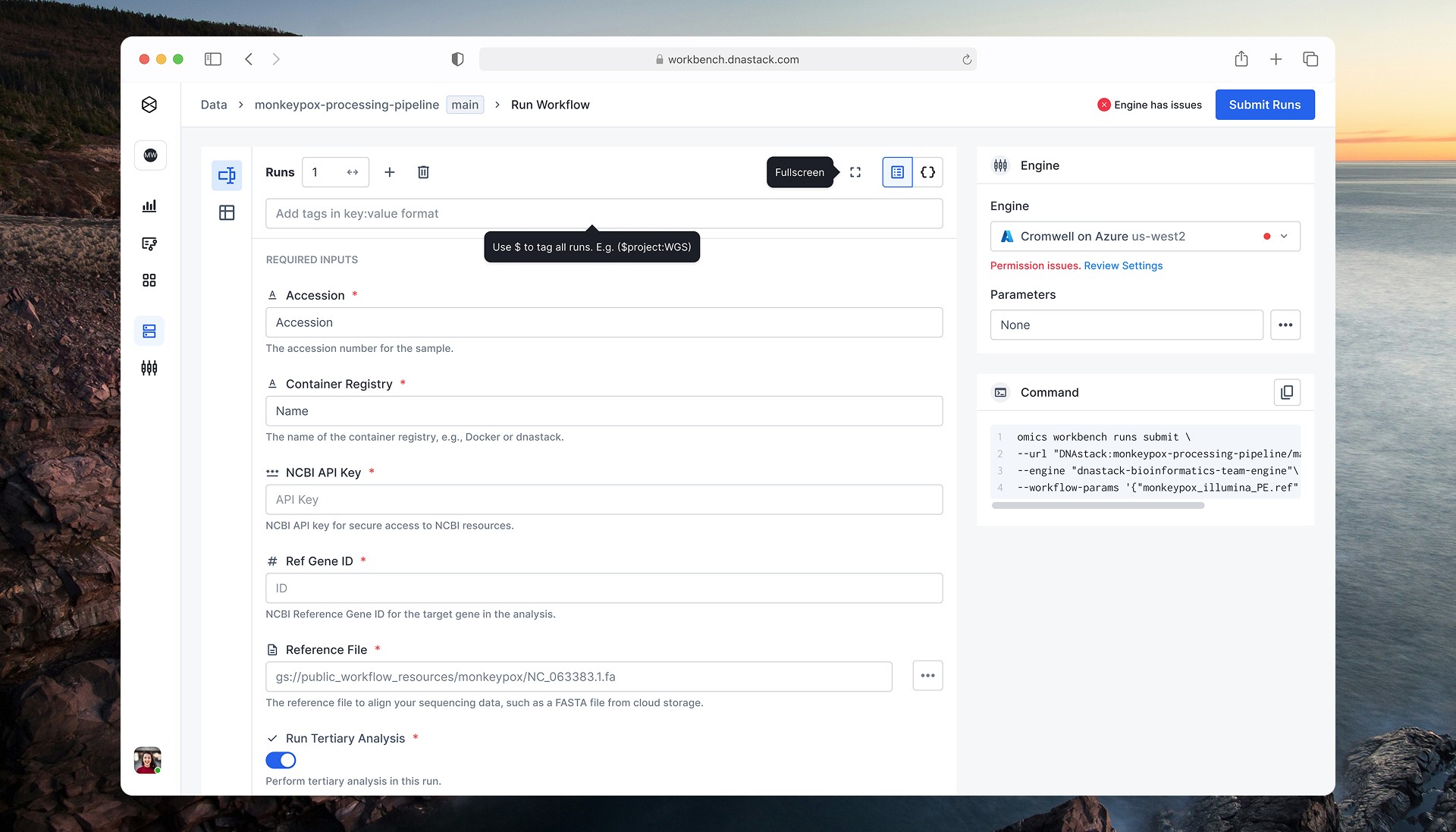
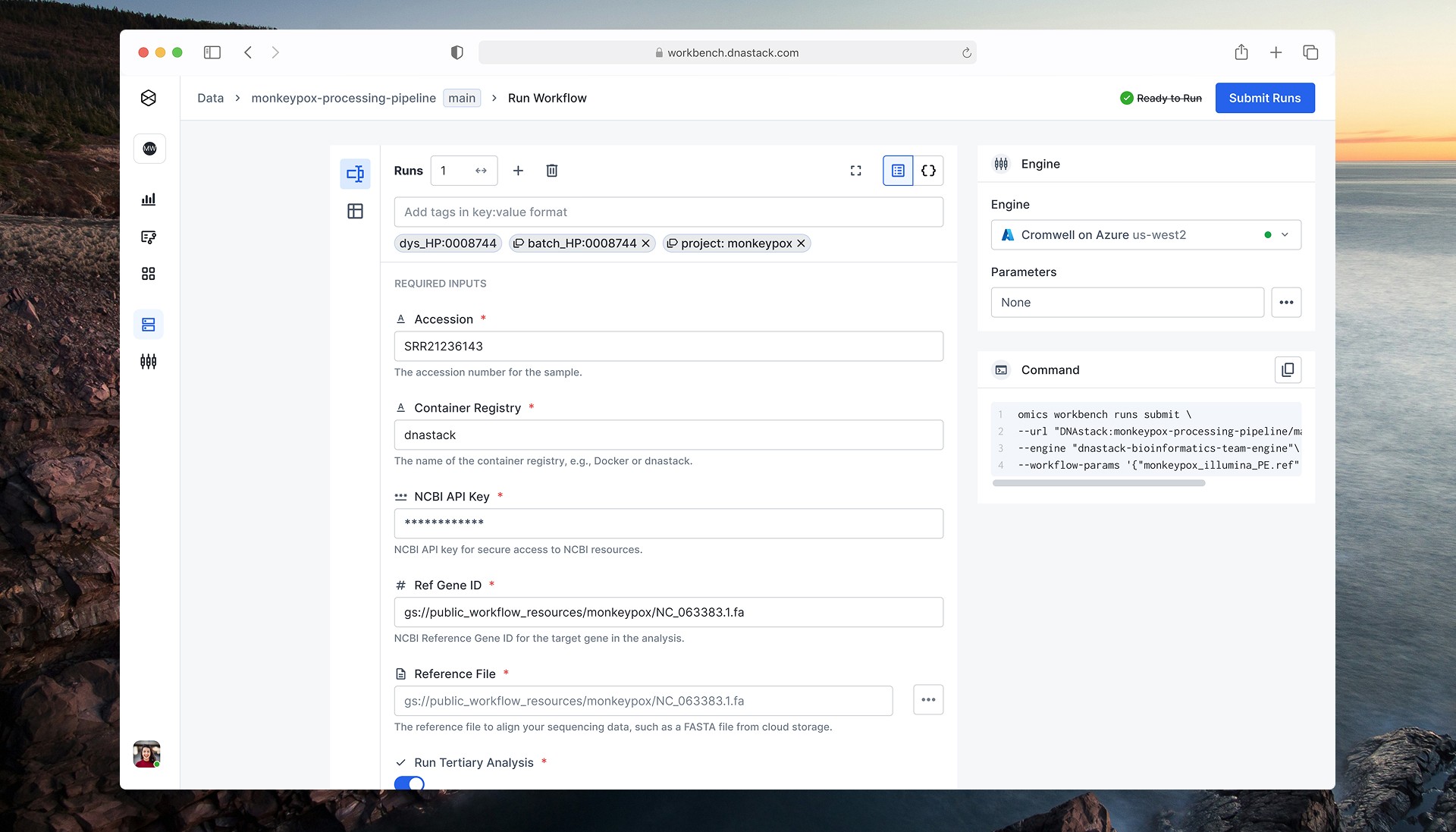
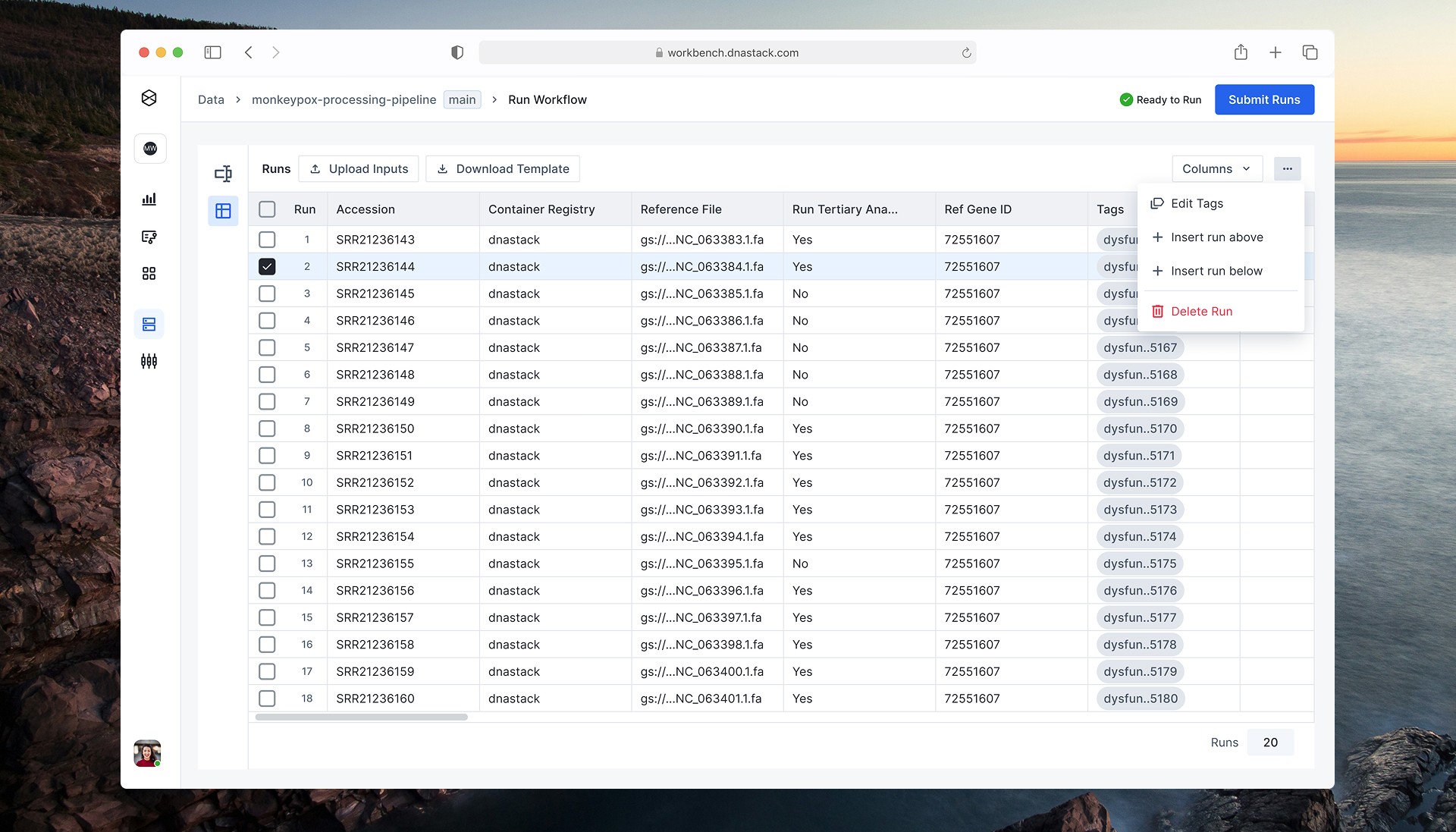
Three layers, one run
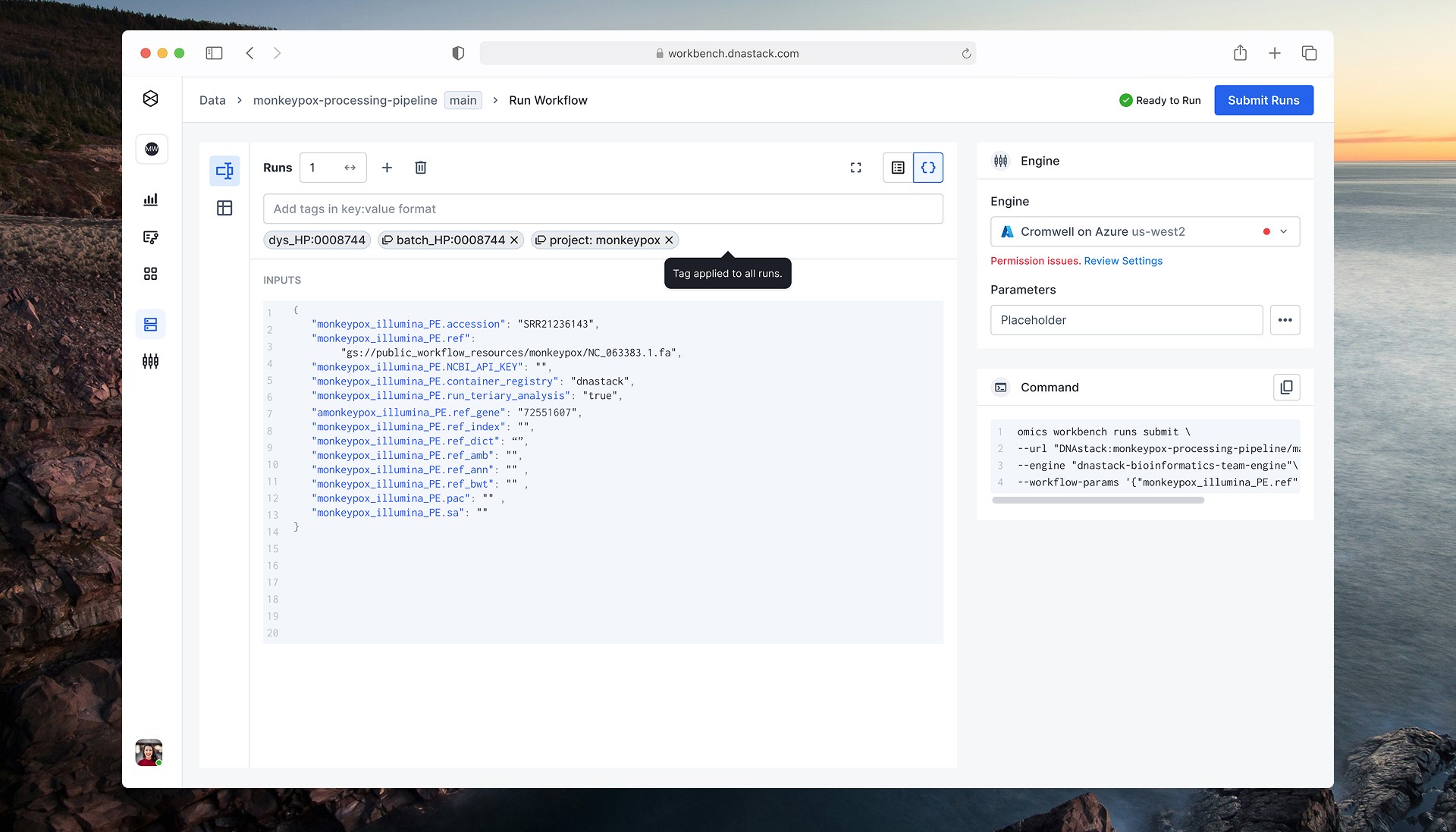
Each layer adds control on top of the one before it, and users can move between layers on the same run.
The decisions that mattered
Experts and newer researchers wanted opposite things, and the team was split the same way. I settled these with the PM, engineering and both user groups.
- 01
Keep JSON when the brief was to simplify
Removing JSON would have been simpler to build, but it would have pushed our most active users back to the command line. I kept it as the top layer, and every layer edits the same run.
- 02
Settle the debate with preference tests
Experts and newer researchers wanted opposite things, and the team was split too. Preference tests showed where the groups actually diverged, which gave the PM and engineers a scope they could plan around.
- 03
Batch with CSV before building a bulk editor
An in-app bulk editor would have taken much longer. Researchers already prepared sample sheets in spreadsheets, so a CSV template met them there and fit the two-month timeline.
Layered complexity
A guided form view with contextual help and autocomplete for researchers who need structure. CSV templates for batch runs. JSON preserved for power users who need control.
Measured after launch
of users preferred the UI over the CLI
faster task completion
increase in retention
"She's done the impossible: designed a UI that lets me complete tasks I used to rely on the command line for. I now reach for her products first."
HWHeather Ward · Bioinformatics Lead, DNAstack