From one-off data portals to a scalable research network
Every new research network meant a full custom portal build, which wasn't sustainable or competitive. The business needed a platform model. As founding designer, I designed a two-sided platform: Publisher, where data custodians connect and share their data, and Explorer, where research teams discover it and run analysis.
A business problem and two user problems
One-off portals don't scale
DNAstack's portal-per-dataset model meant every new research network required a full custom build.
Finding relevant datasets is challenging. I don't always know where to look or what's available.

When I find the right dataset, requesting access is a long, complicated process with waiting for approvals, delaying my research.

One platform, two sides
I mapped how researchers moved across datasets, where discovery broke down, and what institutions needed to feel confident publishing their data. That set the structure: custodians share collections from Publisher, and research teams find and analyze them in Explorer.
I designed the model to deploy two ways, with one consistent access model across both: a single institution with its own white-labelled Explorer, or many institutions connected into one shared network.
The pivot: browse first, then query
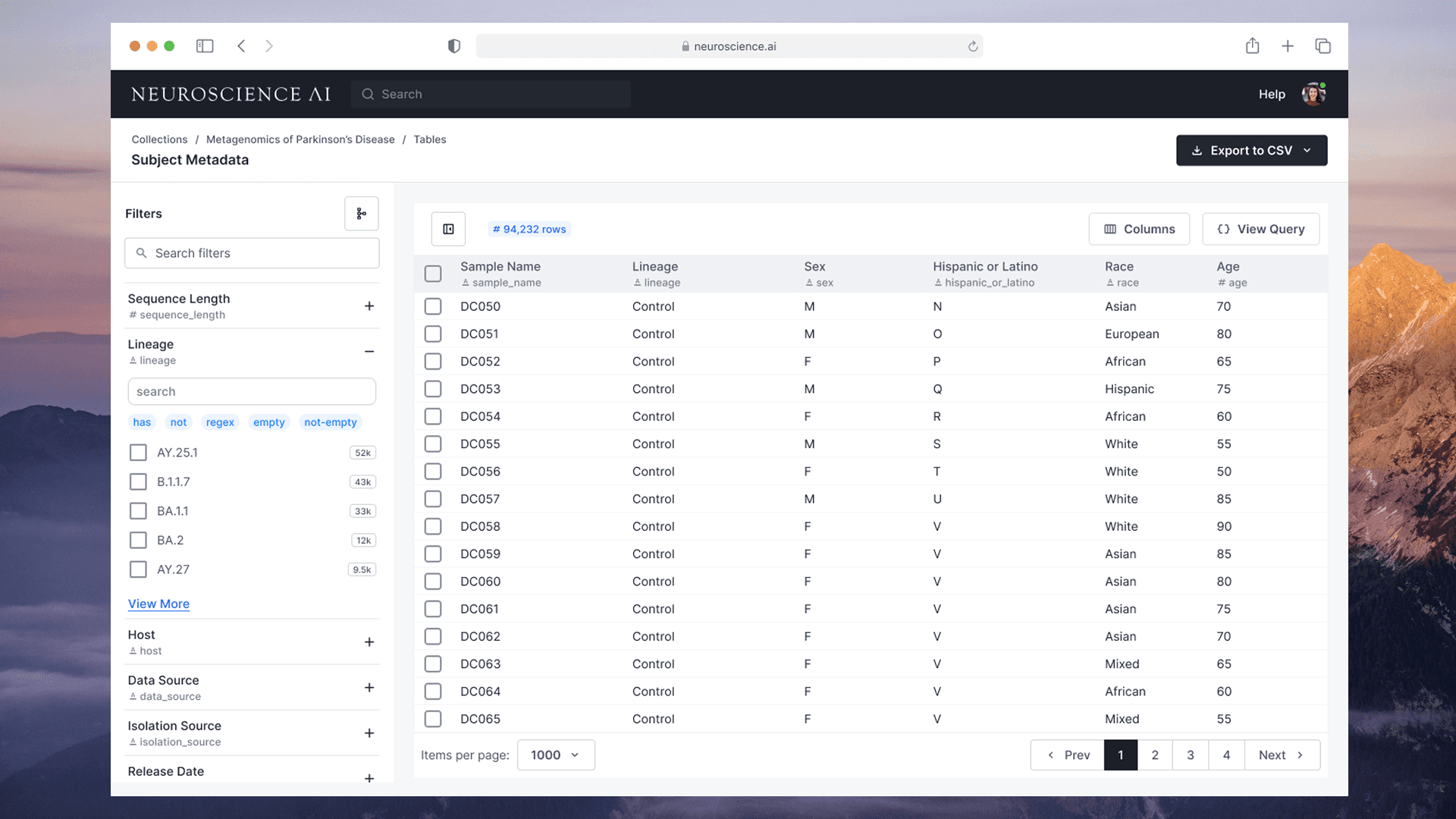
I iterated through usability testing with researchers and custodians on filter logic, schema visibility and access requests. Early filter designs assumed researchers would construct queries. Testing showed they needed to browse first.
- 1Lack of visual clarity in the active filter
- 2Operator typed as free text, so the interaction was inconsistent
- 3Missing schema and data type information
- 1Clear visual feedback on the active filter
- 2Operator as a badge inside the input, with keyboard shortcuts
- 3Schema and data type shown for every field
If I type "has 4" in the filters and click Apply, I get 0 results. If I select "has" first and then type 4, I get the right results.

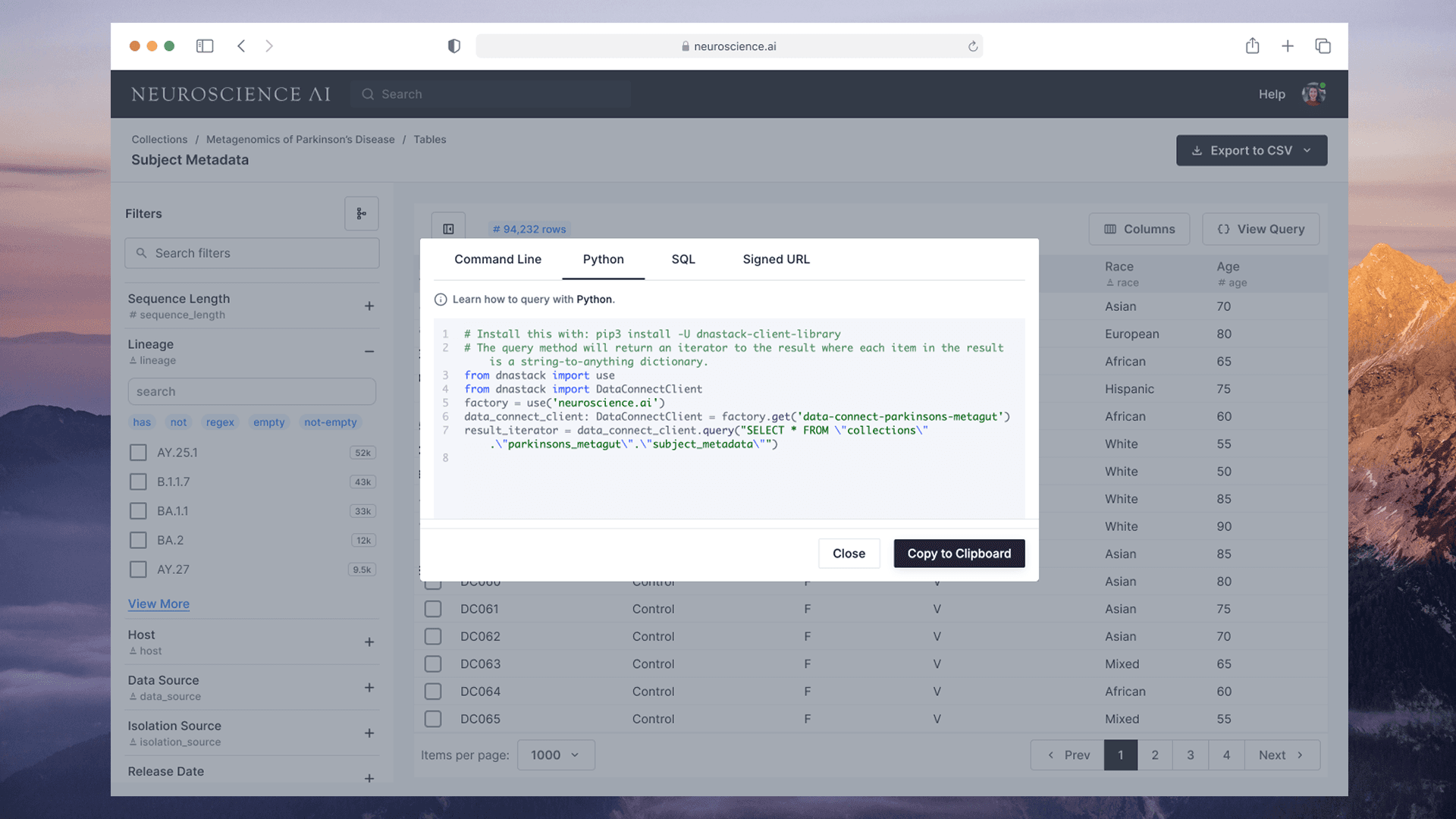
I would like to clearly see table schema and copy table and column IDs. It will speed up my analysis.

The decisions that mattered
A platform only works if both sides trust it. Getting there meant negotiating with leadership, partner custodians, engineering and researchers.
- 01
Ask institutions to give up custom portals
Partners were used to bespoke portals. I designed Publisher so each institution could still have its own white-labelled Explorer or join a shared network, with one consistent access model either way, so publishing felt safe.
- 02
Drop my own query-first filters
My early filter design assumed researchers would build queries. Testing showed they needed to browse first. I reworked the filters around facets and visible schema, even though the query model was already designed.
- 03
Show the schema
Showing schema and column IDs risked cluttering the view for less technical users. Researchers asked for it directly in testing because it sped up their analysis, so data types and schema sit inline next to every field.
Discover, view, filter, analyze
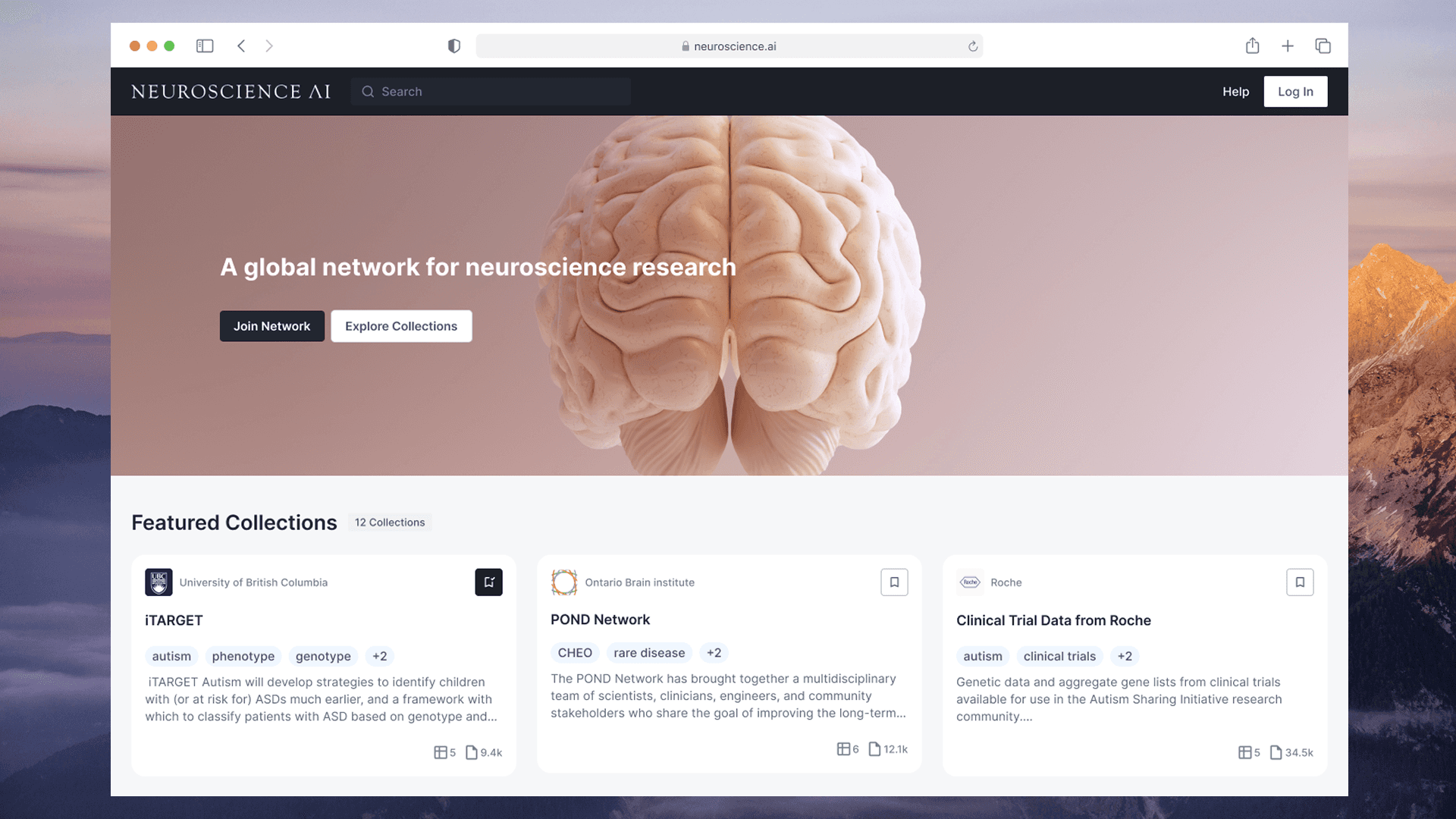
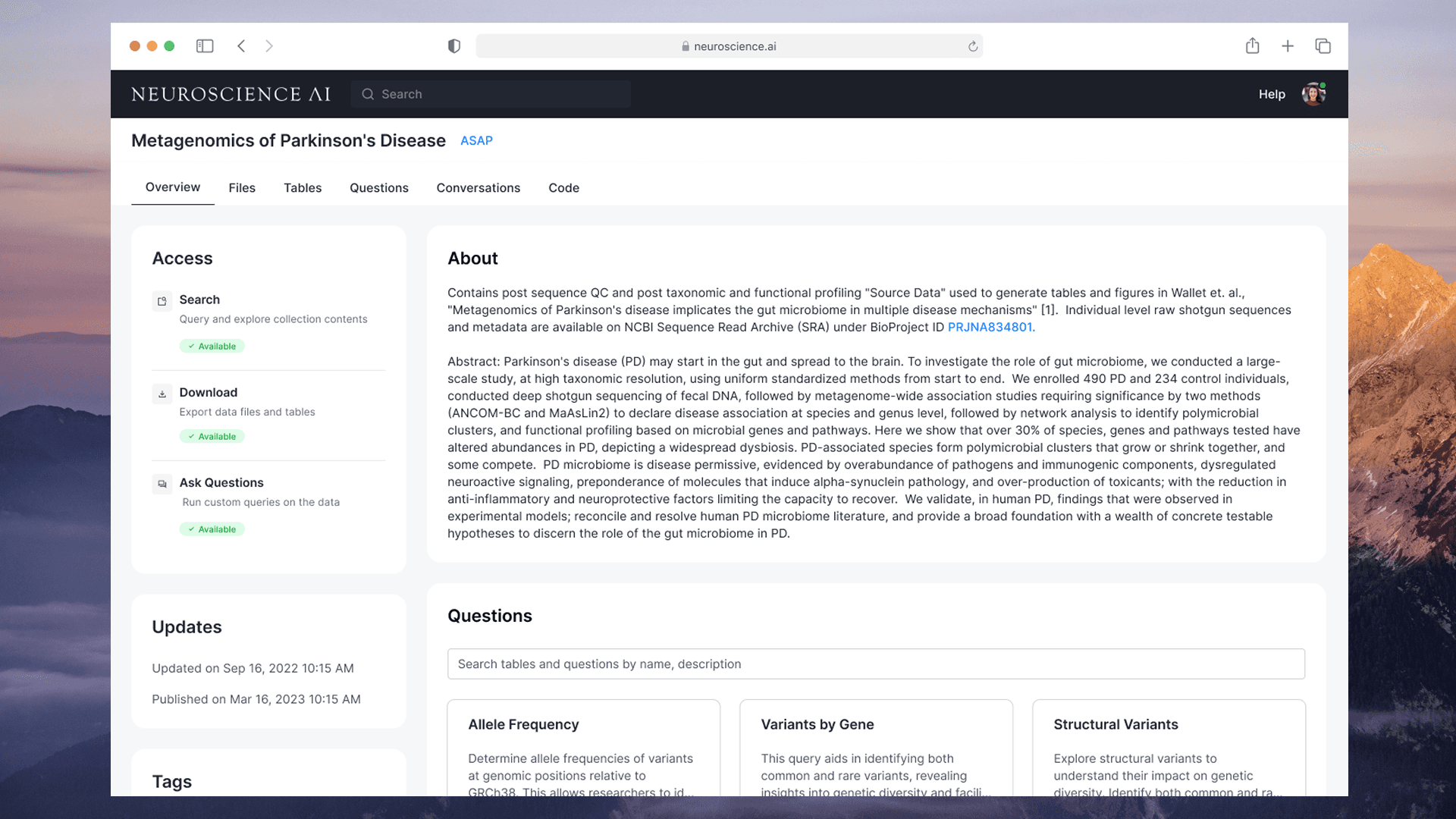
One consistent flow from finding a dataset to analyzing it, across every collection in a network.
At a glance
datasets connected across multiple research networks
for data discovery and access approval
increase in active researchers