From a vague ticket to a traceable, extensible filter system
The ticket asked for a status column. Research showed researchers also needed to query samples by status and other criteria to decide which ones to run next. I reframed the problem, shipped an extensible filter system in two sprints, unblocked our first customer's onboarding, and got the long-term query builder onto the roadmap.
What Workbench does
A patient sample goes through a sequencing instrument like PacBio Revio or Illumina, which outputs a raw string of DNA. Workbench is where bioinformaticians and clinical geneticists run secondary and tertiary analysis: finding mutations and variations, and what might cause a disease or affect treatment.
Ambiguous requirements
The ticket said: add a status column. Research would reveal a different problem.
Go-to-market blocker
The PacBio consortium's onboarding was gated on this feature shipping.
Two sprints
Engineering had two sprints dedicated to implementation.
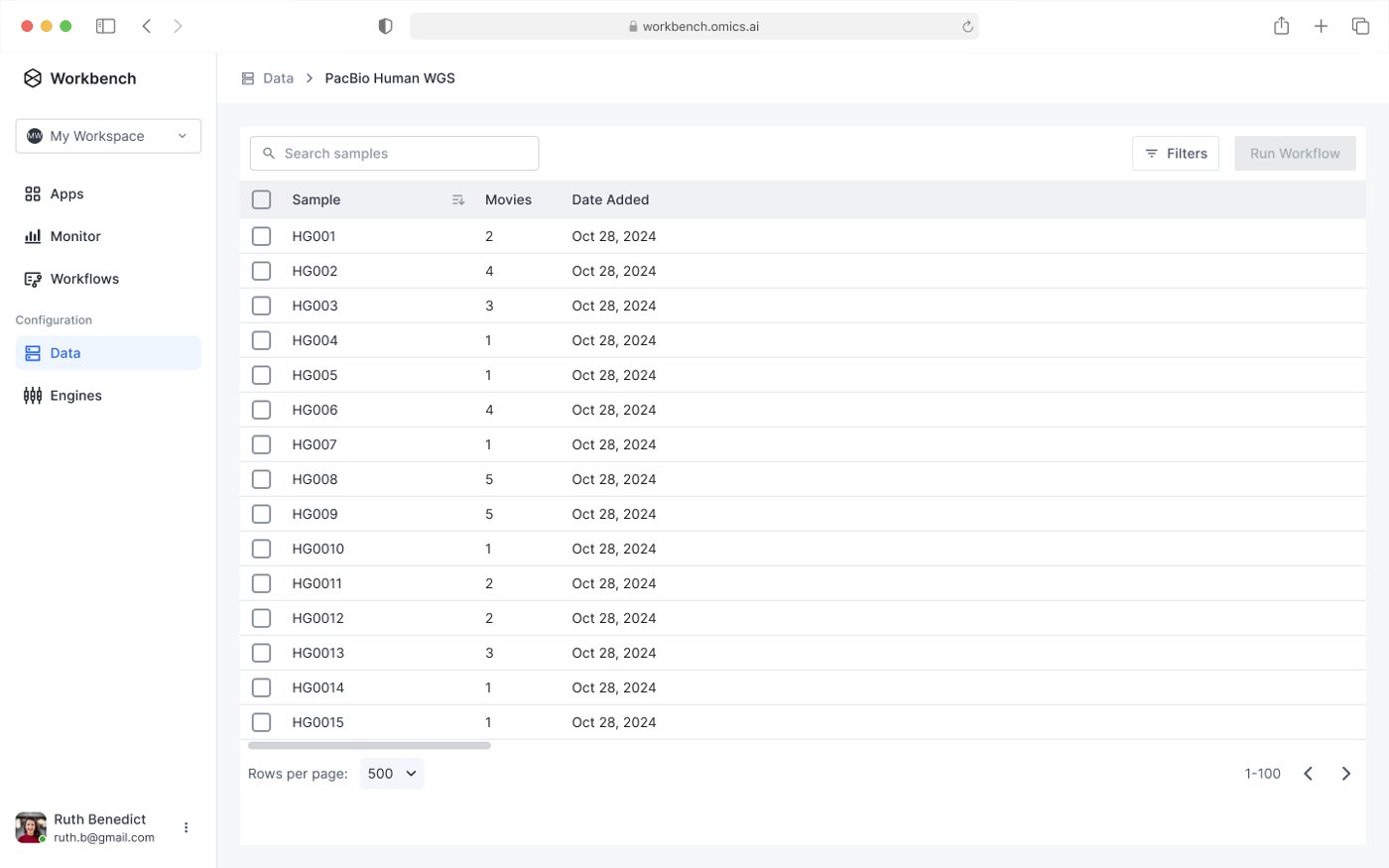
What researchers were really asking for
There's no way in the UI to tell if my sample was analyzed before.

I want to find samples that ran workflow 1 but didn't run workflow 2.

I want to quickly identify which samples failed a particular workflow and rerun analysis.

I want to find samples that ran a particular workflow that generated .vcf outputs.

Seeing status wasn't enough. Researchers needed to query samples to decide which ones to run next. A filtering and traceability problem, not a display problem.
Two directions, two clear verdicts
| Sample | Last analysis | Runs |
|---|---|---|
| Pika WGS 94 | Finished | 10 succeeded |
| Pika WGS 12 | Partial | 1 failed, 1 pending |
| Human de novo Assembly | Failed | 10m 55s |
| Human WGS | Running | 11m 20s |
| Tertiary pipeline | Succeeded | 3h 15m |
| Pika WGS 5 | Running | 1 running, 5 ok |
| Sample | Workflow | Status |
|---|---|---|
| family: HG008_fam 3 | ||
| HG001 | Human WGS 2.0 | Failed |
| HG002 | Human WGS 2.0 | Running |
| family: HG004_fam 4 | ||
| HG003 | Human WGS 2.0 | Running |
| HG014 | Human WGS 2.0 | Running |
Phenopacket changed the plan
Midway through, bioinformaticians flagged that samples would soon carry clinical metadata in Phenopacket, the GA4GH standard.
The filters had to absorb many new attributes later, like sex, disease, phenotypic features and sampled tissue, without a rebuild.
Same filter row, new attributes. No structural change.
From a display request to a query system
I designed a new filter component built to need zero rework later. Every condition uses the same row, so new attributes plug in without changing the structure.
I prototyped the end-to-end flow before handoff, so engineering and the bioinformaticians could react to the real interaction:
The decisions that mattered
Research turned a small ticket into a much bigger problem. These were the calls I made with the PM, engineering lead and bioinformaticians to still ship in two sprints.
- 01
Push back on the ticket
Adding a status column was a few hours of work. Research showed the real requirement was much larger: researchers needed to find samples by criteria, like which ones ran one workflow but not another, to decide what to run next. I took that back to the PM and engineering lead, and we agreed to spend both sprints on a filter system instead.
- 02
Ship less, design the whole thing
The grouped UI matched how researchers think about sample families, but it couldn't ship in two sprints, so we set it aside. For filters, I designed the full set of operators up front and we released the basics first, so the first customer launched on time and the next release needed no redesign.
- 03
Let a late constraint change the architecture
When the bioinformaticians raised Phenopacket midway, the easy path was to note it for later. I reworked the filter so every condition uses the same row, then walked engineering and the bioinformaticians through the prototype before the data model locked.
One filter system, any attribute
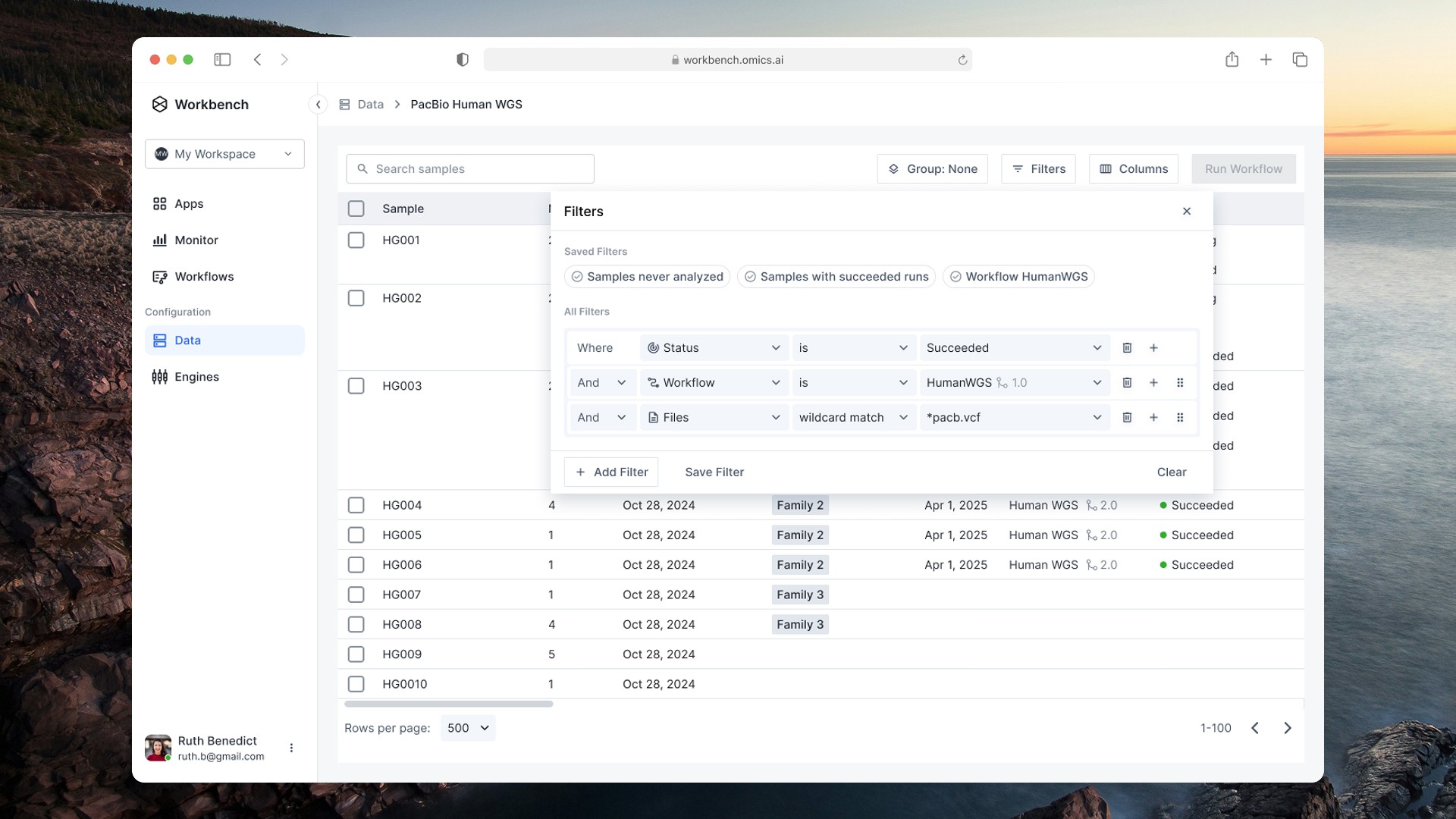
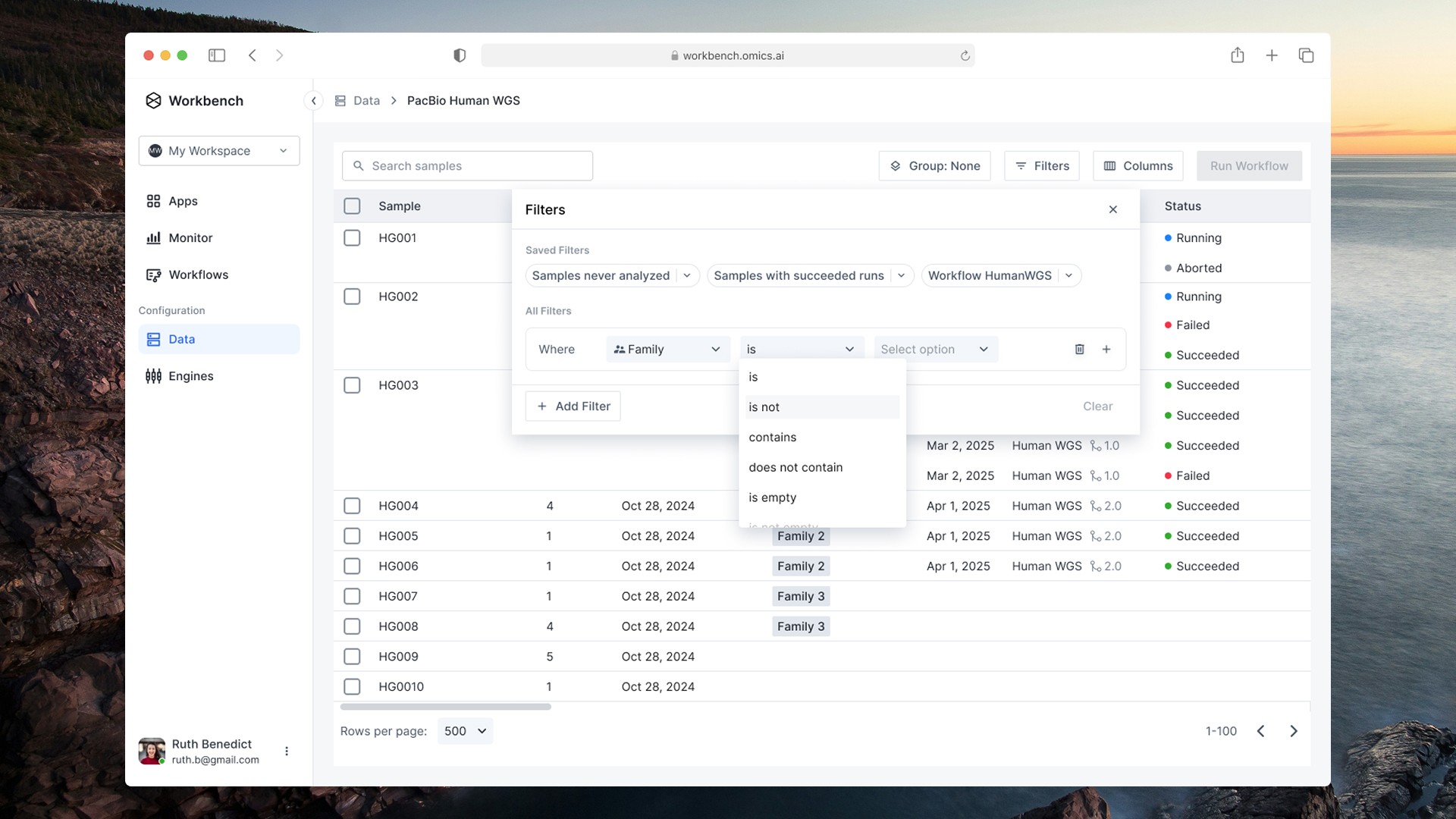
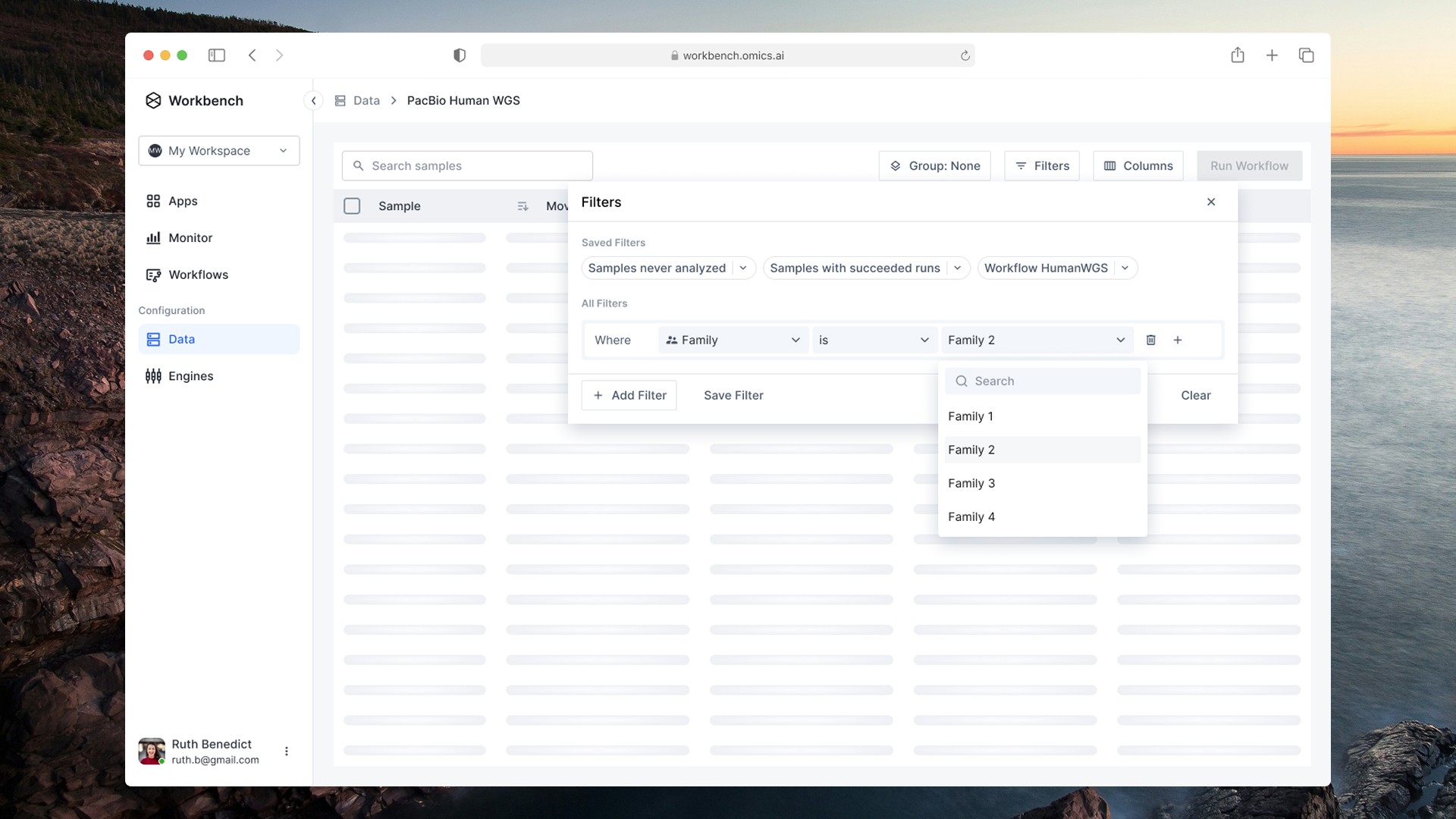
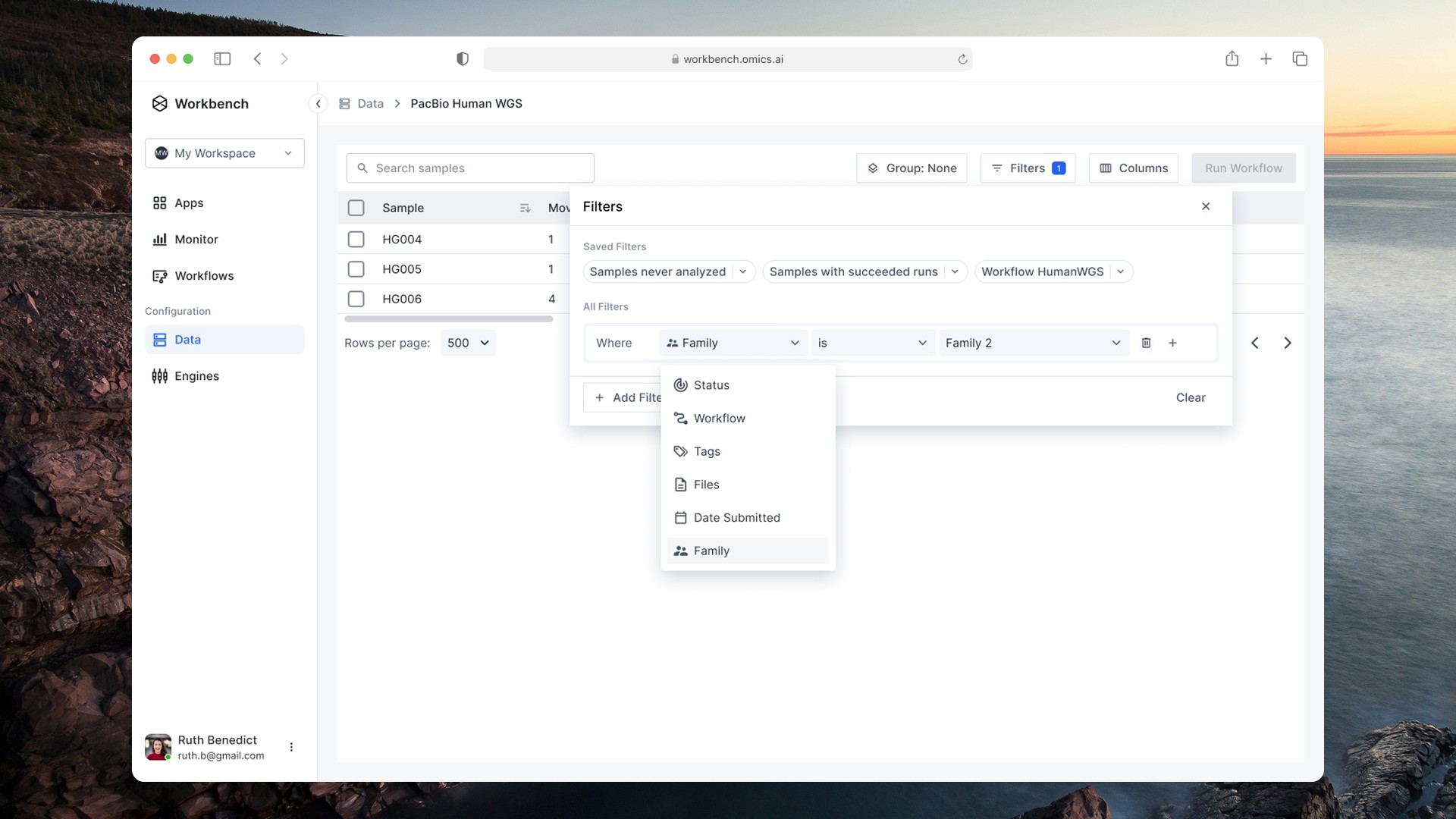
Try the saved filters
Click a saved filter to apply it. The conditions and results update the way they do in the shipped design.
| Sample | Family | Workflow | Status | Outputs |
|---|
What it changed for the business
PacBio consortium onboarded on schedule
Our first consortium customer and a high-stakes launch for the business. Onboarding shipped on schedule.
Query builder endorsed by leadership
Leadership called the query builder the north star and added it to the roadmap.
Ready for clinical metadata
The filter foundation absorbs Phenopacket attributes with no structural changes.